 Card Harbor
A safe harbor for every card you scan.
Never cancel an order because you can't find the card. Card Harbor keeps your inventory in the order you scanned it, points you straight to any card's shelf in seconds, and walks you through pulls and publishing without risking a bad upload.
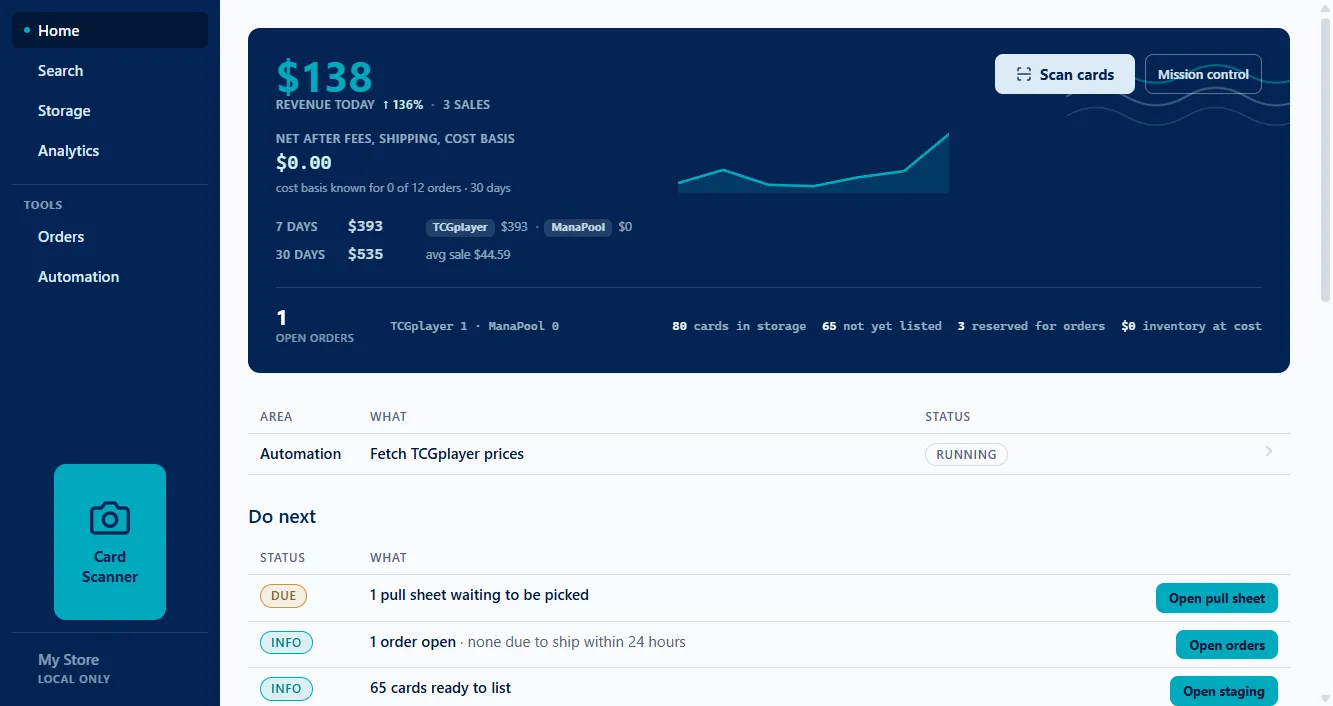
Inventory that behaves like a real harbor, not a spreadsheet.
Your shelves never re-sort themselves to suit software. Card Harbor works the other way around, in three steps:
- 01
Scan in, keep the order
Cards land in the exact order you scanned them. No pre-sorting, ever, and a collection buyout can come in before it is organized at all.
- 02
Drop the batch in a box
The whole batch takes one berth and gets its location codes automatically.
- 03
Find any card instantly
Import a pull sheet and Card Harbor points you straight to shelf, box, and divider.
Feed the batch through. The order becomes the ledger.
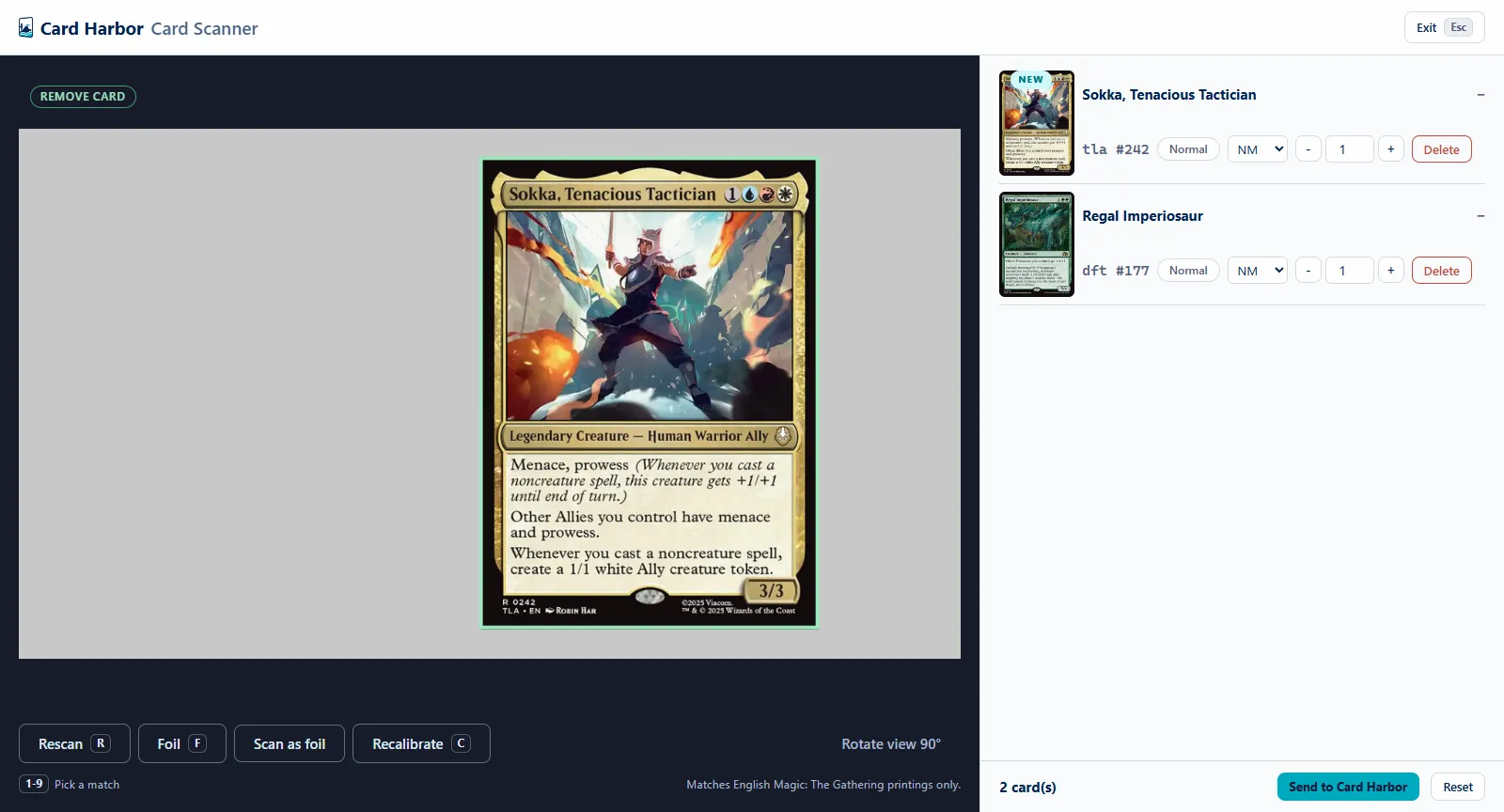
Point a camera at your stack. Card Harbor identifies each card and its printing right in the app, locks it into the exact order you scanned, and that physical order becomes the source of truth. No pre-sorting, no data entry, and every card has a place before it ever reaches a box.
- Unlimited
- Every scan runs at full quality. No meter, no monthly cap, no top-ups to buy when a collection buyout lands on your desk.
- Offline
- Sync the card catalog once, then scan anywhere, with or without internet. The scanner lives in the app, so it keeps up in the spare room, at the scan station, or mid-outage.
- Local
- Identification happens on your own machine, not in someone else's queue, so a thousand-card stack moves as fast as you can feed it.
The camera identifies. You confirm.
Card and printing candidates come from the scanner. Condition and foil never do: they stay in your hands, eyes on the camera, so nothing ships that you did not verify.
- FMark the last card foil
- 1to9Pick the exact printing
- RRescan without touching the card
Every row starts at Near Mint until you say otherwise. One keystroke locks each detail while the next card is already in the guide box. The scanner identifies English Magic: The Gathering singles today; more games are on the roadmap.
And everything else between scan and sale.
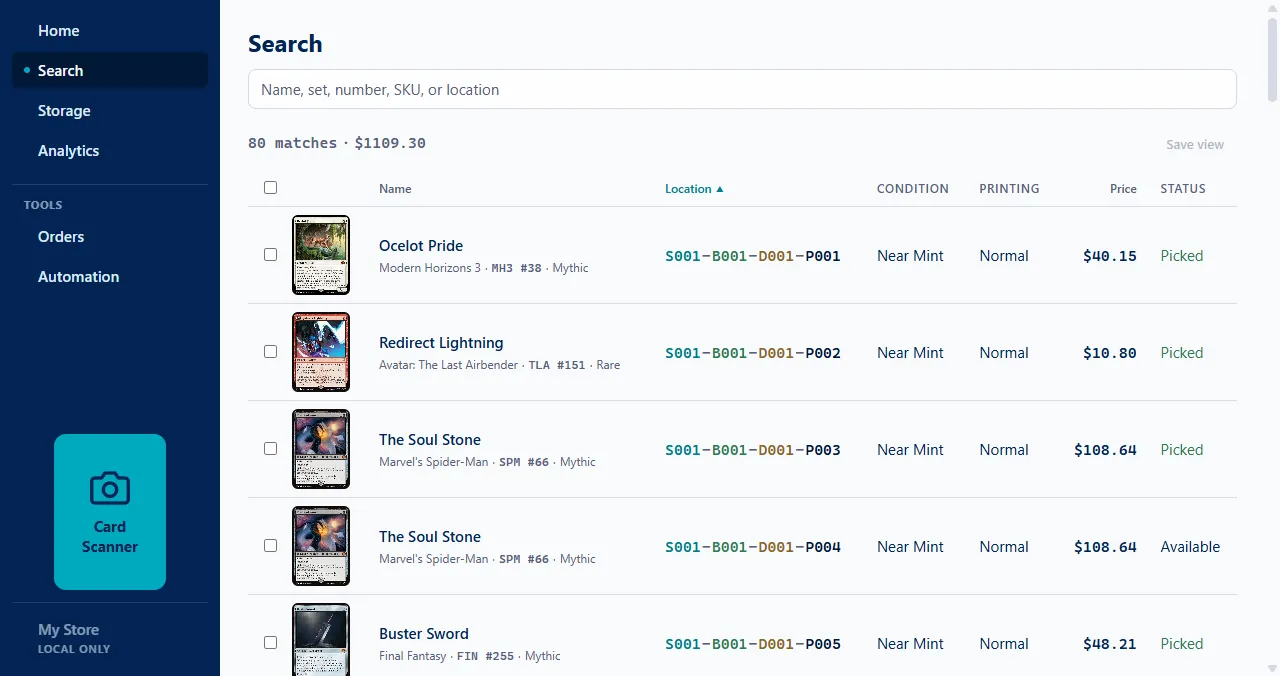
Any card, by location, in seconds.
Search by name, set, number, SKU, or location and Card Harbor points straight to the shelf, box, and divider. No more walking the rows hunting for one card.
Pull sheets that walk the route.
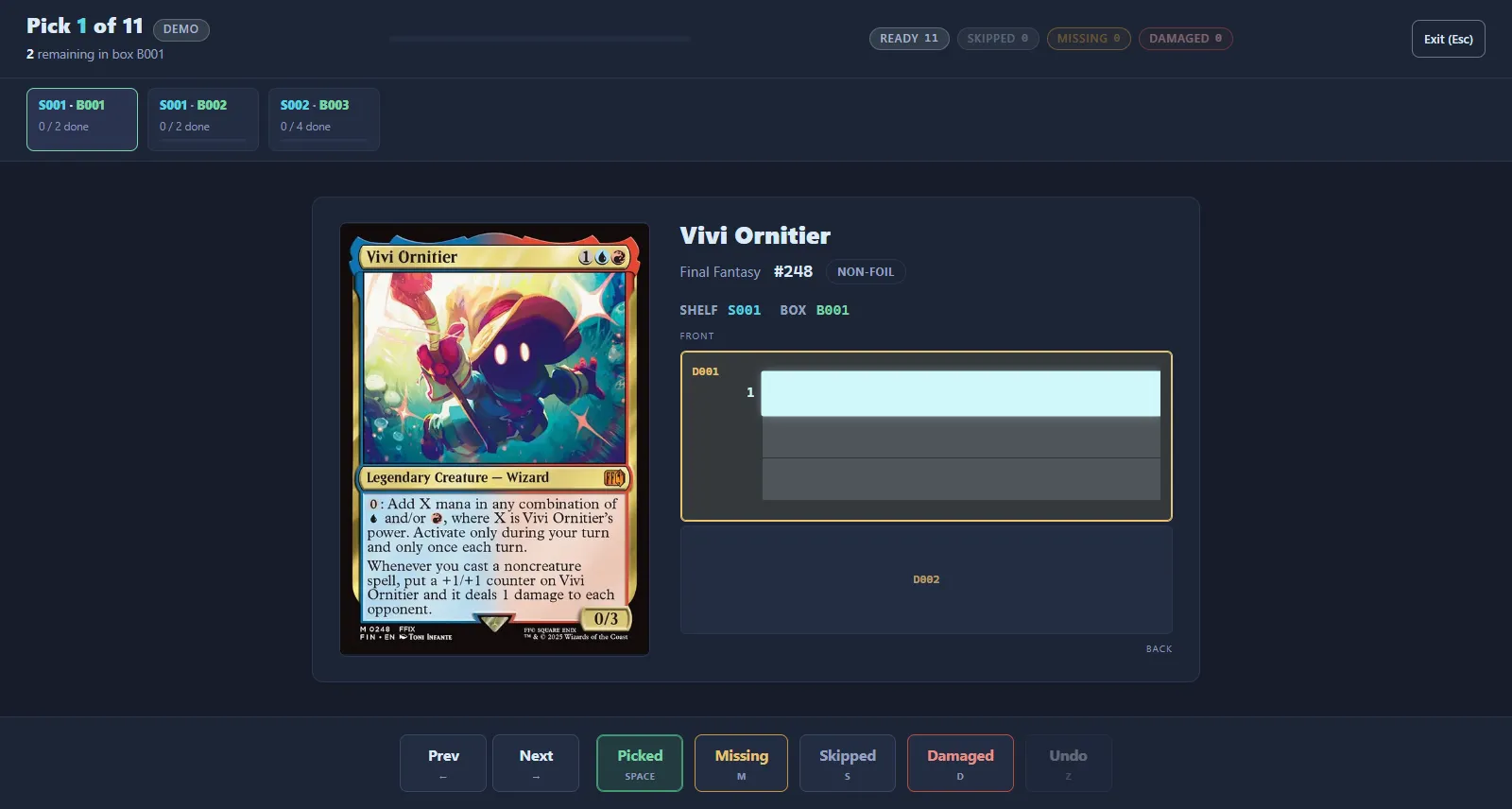
Card Harbor sequences every order into one efficient walk through your storage, with a keyboard-first picking flow built for standing at the shelves, not sitting at a desk.
Safe, automated TCGplayer publishing.
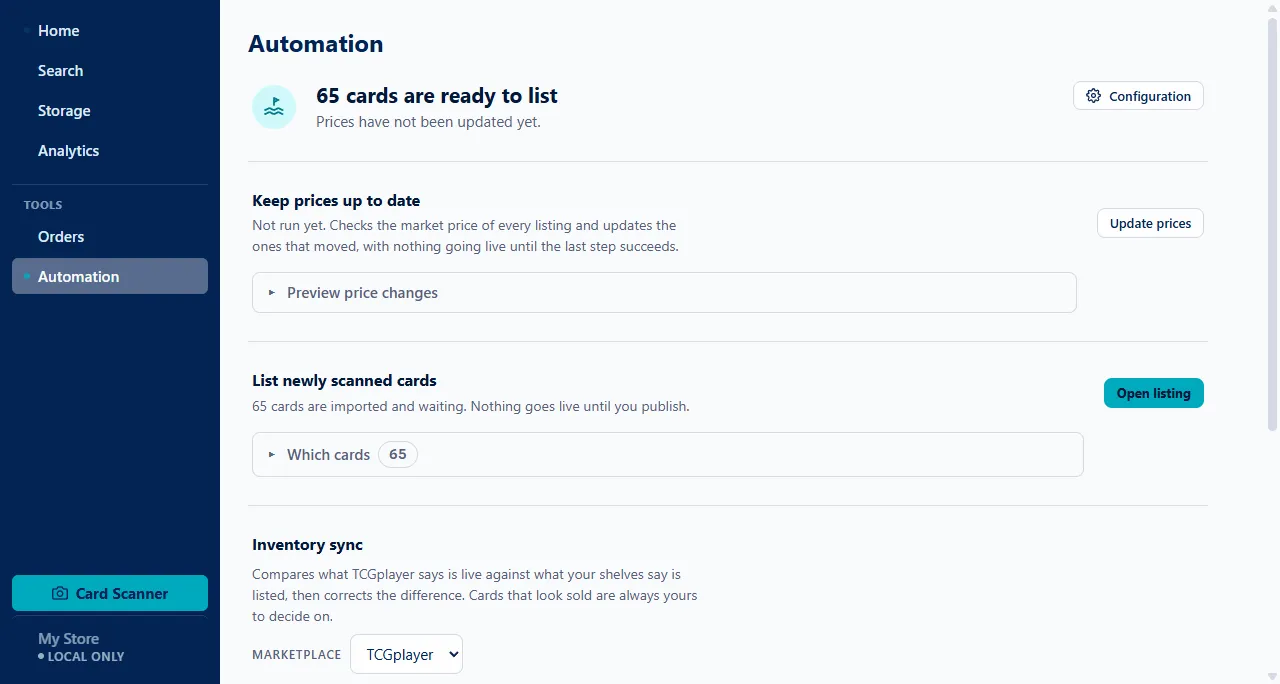
Card Harbor handles TCGplayer's staged uploads for you, with guardrails that catch duplicates and bad batches before anything goes live. Nothing goes live until every step of the upload succeeds. It also keeps your shelves matched to your live TCGplayer inventory, showing you exactly what drifted and leaving every sold card for you to confirm.
Reprice without opening a spreadsheet.
Card Harbor moves a TCGplayer listing only when a competitor is genuinely cheaper than what a buyer pays you today, and then undercuts by the margin you set, with a floor so nothing races to the bottom. Prices that already hold the low stay put. Your time goes to scanning and pulling, not tabbing between browser windows and spreadsheets.
Is Card Harbor for you?
It is built for the solo seller past the beginner gate, not for stores, warehouses, or collector showcase shelves.
Built for you if
- You sell singles solo on TCGplayer or ManaPool.
- You keep thousands of singles on spare-room shelves.
- You have a day job and pull orders before work or after dinner.
- You are past TCGplayer's 51-order gate, so staged CSV imports are unlocked.
Not for you if
- You need POS or buylist workflows for a storefront. Store platforms fit better.
- You run a warehouse-scale Direct operation.
- You want a collector showcase app. ManaBox or Collectr fit better.
Working out what a sale actually nets you? Estimate your fees and margins.
Curious what "Automated repricing" actually does? See how repricing works.
Built to keep running when the day does not cooperate.
This is what's shipped today. See where Card Harbor is headed for what's landing next.
After a one-time catalog sync, scanning, inventory, and finding cards keep working with no connection at all. Only the parts that talk to a marketplace need one.
Your data is a plain SQLite file on your own machine, with CSV export whenever you want it. Nothing holds your inventory hostage.
Everything lives on your own computer, not in someone else's system, and it stays put through updates, or even an uninstall. See exactly what we collect on the telemetry page.
Where things stand.
Card Harbor is not currently available for download. This page stays up as a record of what the app does and how it approaches the job, and the roadmap and changelog stay up alongside it.
See what shipped in the changelog, or where it was headed on the roadmap.
Questions? Email us.